

Assumptions
- You are experienced with Java and have at least dabbled around with Ruby on Rails.
- These steps worked for me on a Mac OS X 1.0.4.9 system
- I’ve walked through the steps 3 times from scratch, but your mileage may still vary.
Install and Configure JRuby
First step download install JRuby. You can get it at:
- http://dist.codehaus.org/jruby/
After pulling down the tarball,
|
1
|
jruby-bin-1.0.0RC2.tar.gz
|
, I unpacked it and installed at:
-
1
/Applications/jruby1.0.2RC
Next, add the environment variable
|
1
|
JRUBY_HOME
|
to point to
|
1
|
/Applications/jruby1.0.2RC
|
. I added it to my
|
1
|
.bash_profile
|
since I’m running the bash shell by default on Mac OS X:
|
1
2 |
# JRuby
export JRUBY_HOME=/Applications/jruby1.0.0RC2 |
Since I don’t want to take out my normal Ruby C install I just export it in front of the path just for this terminal session:
|
1
|
export PATH=$JRUBY_HOME/bin:$PATH
|
Double check that JRuby is setup:
|
1
|
jruby --version
|
This should return something like:
|
1
|
ruby 1.8.5 (2007-05-16 rev 3672) [i386-jruby1.0.0RC2]
|
Test With A Simple JRuby App
Go ahead and setup a directory for your JRuby apps:
|
1
2 3 4 |
cd ~
mkdir jruby_stuff cd jruby_stuff mate test_java.rb |
The last step assumes your using textmate. You can replace it with any
|
1
|
vi
|
or any other editor you want.
Write a small JRuby app and save it:
[ruby]
require ‘java’
include_class ‘java.util.ArrayList’
list = ArrayList.new
list.add “Ruby”
list.add “+”
list.add “Java”
list.add “=”
list.add “JRuby”
| list.each do | word |
puts “#{word}”
end
[/ruby]
Go ahead and run the simple ruby script and test the java integration of JRuby:
|
1
|
jruby test_java.rb
|
Should see:
|
1
2 3 4 5 |
Ruby
+ Java = JRuby |
Rails Setup
Run:
|
1
|
gem install rails -y --no-ri --no-rdoc
|
This should take about a minute. There are lots of notes on how ri and Rdoc take a long time to run right now, but it wasn’t too bad, about 5 minutes on a duo core Macbook Pro, but you can keep the two switches and save a little time.
The next step is a bit odd. For some reason the rails and rake files don’t get installed as executable. You have to make them executable and then pick up the changes using the bash
|
1
|
hash
|
command.
|
1
2 3 |
chmod 775 $JRUBY_HOME/bin/rails
chmod 775 $JRUBY_HOME/bin/rake hash -r |
Sample Rails App Running in JRuby
Then create your test rails app in JRuby. I used that idea of a book store application:
|
1
2 |
rails bookstore
cd bookstore |
Go ahead and do a smoke test by booking up the server.
|
1
|
jruby script/server
|
Should see a default rails page at
- http://localhost:3000
ActiveRecord JDBC Setup
Kill WEBrick and install the ActiveRecord JDBC gem:
|
1
2 3 4 |
gem install ActiveRecord-JDBC
Installing ri documentation for ActiveRecord-JDBC-0.3.1... Installing RDoc documentation for ActiveRecord-JDBC-0.3.1... Successfully installed ActiveRecord-JDBC-0.3.1 |
Modify the
|
1
|
config/database.yml
|
:
|
1
2 3 4 5 6 |
development:
adapter: jdbc driver: com.mysql.jdbc.Driver url: jdbc:mysql://localhost/bookstore_development username: root password: |
Modify
|
1
|
config/environment.rb
|
to add jdbc as an adapter type. The code goes just above
|
1
|
Rails::Initializer.run
|
[ruby]
if RUBY_PLATFORM =~ /java/
require ‘rubygems’
RAILS_CONNECTION_ADAPTERS = %w(jdbc)
end
| Rails::Initializer.run do | config |
[/ruby]
Get the MYSQL JDBC driver at:
- http://www.mysql.com/products/connector/j/
I grabbed the file
|
1
|
mysql-connector-java-5.0.6-bin.jar
|
and added it to my
|
1
|
$JRUBY_HOME/lib
|
. You can also add it to your
|
1
|
$CLASSPATH
|
instead.
Start your MySQL server if it isn’t running. I just do this from the MySQL Preferences pane.
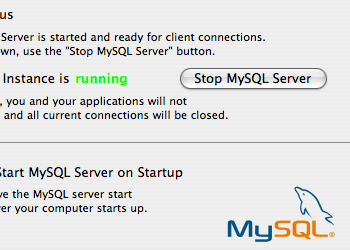
Time to setup the databases:
|
1
2 3 4 |
mysql -u root
create database bookstore_development; create database bookstore_test; exit |
Go back to the rails app and create a model for Books.
|
1
|
jruby script/generate model Book
|
Create a simplistic migration script in the file
|
1
|
db/migrate/001_create_books.rb
|
:
[ruby]
def self.up
| create_table :books do | table |
table.column :title, :string
table.column :author, :string
end
end
[/ruby]
Run the migration:
|
1
|
rake db:migrate
|
Then create the scaffolding for Book:
|
1
|
jruby script/generate scaffold Book
|
Startup the server:
|
1
|
jruby script/server
|
Go to the URL and see the scaffolding using JDBC:
- http://localhost/books/
Running the Tests
You should be able to run the rake command and run all the tests now. Instead you get an error about like this:
|
1
2 |
rake aborted!
Task not supported by 'jdbc' |
Turns out this is due to some hard coded values in the rails rake tasks. It has an easy fix by way of Ola Bini:
|
1
2 |
cd $JRUBY_HOME/lib/ruby/gems/1.8/gems/ActiveRecord-JDBC-0.3.1/lib
svn checkout svn://rubyforge.org/var/svn/jruby-extras/trunk/activerecord-jdbc/lib/tasks |
This pulls down a file
|
1
|
jdbc_databases.rake
|
that I could only find in the subversion repository for now. Copy that file to the bookstore lib/tasks directory:
|
1
2 |
cp tasks/jdbc_databases.rake ~/jruby_stuff/bookstore/lib/tasks
cd ~/jruby_stuff/bookstore |
Time to run all the default tests with rake:
|
1
|
rake
|
All the tests pass!
Create the WAR
Kill WEBrick again and install the rails-integration plugin to deploy setup rake tasks to create wars:
|
1
|
jruby script/plugin install svn://rubyforge.org/var/svn/jruby-extras/trunk/rails-integration/plugins/goldspike
|
It appears the war created uses the production settings so you’ll need to create the production database:
|
1
2 3 |
mysql -u root
create database bookstore_production; exit |
Then fix the
|
1
|
config/database.yml
|
to include jdbc adapters for test and production:
|
1
2 3 4 5 6 |
test:
adapter: jdbc driver: com.mysql.jdbc.Driver url: jdbc:mysql://localhost/bookstore_test username: root password: |
|
1
2 3 4 5 6 |
production:
adapter: jdbc driver: com.mysql.jdbc.Driver url: jdbc:mysql://localhost/bookstore_production username: root password: |
Go ahead and run the migration for production as well:
|
1
|
rake db:migrate RAILS_ENV=production
|
Then you run:
|
1
2 3 4 5 6 7 8 9 10 11 12 13 14 15 16 17 18 |
rake war:standalone:create
Assembling web application Adding Java library commons-pool-1.3 Adding Java library activation-1.1 Adding Java library jruby-complete-0.9.9 Adding Java library bcprov-jdk14-124 Adding Java library rails-integration-1.1.1 Adding web application Adding Ruby gem rails version 1.2.3 Adding Ruby gem rake version 0.7.3 Adding Ruby gem activesupport version 1.4.2 Adding Ruby gem activerecord version 1.15.3 Adding Ruby gem actionpack version 1.13.3 Adding Ruby gem actionmailer version 1.3.3 Adding Ruby gem actionwebservice version 1.2.3 Adding Ruby gem ActiveRecord-JDBC version 0.3.1 Creating web archive |
This may take a few minutes the first time, but it appears to be much faster in subsequent builds.
Deploy to Tomcat
At this point you just need to drop the mysql JDBC driver in TOMCAT’s lib directory at:
|
1
|
$TOMCAT_HOME/common/lib/mysql-connector-java-5.0.6-bin.jar
|
Copy the bookstore.war file to
|
1
|
cp bookstore.war $TOMCAT_HOME/webapps/
|
Then startup Tomcat:
|
1
|
$TOMCAT_HOME/bin/startup.sh
|
Goto the app at:
- http://localhost:8080/bookstore/books/
Now do your happy dance! Or maybe just take a break and grab a soda.
Sources
I got this recipe for deployment together from several sources:
- The general recipe was cobbled together from Buggy Velarde.
- Ola Bini for the getting started tutorials with JRuby.
- Nick Sieger for his post on ActiveRecord JDBC.
- And the Rails Integration article on the JRuby wiki.
Things To Come
- Deploy a big rails app.
- Deploy to a commercial container like Websphere Appliation Server.